
/Assets/arrow-facing-left--black-01.svg)
/Assets/navigation-global--close-symbol-black-01-1.svg)

/Assets/base/Close.svg)

/Assets/Icon%20Library/social/facebook-logo.svg)

/Assets/Icon%20Library/social/instagram-logo.svg)
/Assets/Icon%20Library/social/youtube-logo.svg)






The world doesn’t need “more content.”
The goal is better content, produced faster, without sacrificing strategy or sounding like a robot. That’s the bar in 2026. If your AI tools aren’t helping you meet it, it’s time to upgrade your stack.
Not sure where to start?
Below are 16 AI tools for content creation that real businesses are using, some are well-known, others are quietly leading with innovation and disruption. These are purpose-built, practical tools that can help you move smarter, scale your message, and stay aligned with your voice.
At IMPACT, we coach and train teams on the Endless Customers System™, so we have opinions based on what we use and teach every day.
That said, this article is written to help you make smart choices whether you work with us or not. We’ll call out what actually helps teams ship better content and use AI for marketing in a way that builds trust with buyers.
Table of Contents:
- Writing & General Purpose AI
- Video Creation, Editing, & Repurposing
- Research & Source Analysis
- Voice & Dictation
- Design & Visuals
- Insights, Ops, & Automation
- Build & Prototype
- FAQs
Writing & General Purpose AI
1. Claude (Anthropic)
Claude has become pretty dominant over the last year, and remains one of the strongest LLMs for long-form writing and copy. Beyond writing, Claude Code is now excellent for vibe coding, and Claude Cowork is helpful for automations and AI agents.
Claude also has a wide range of integrations that connect to your internal tools to draw out insights and turn them into trusted stories for your written content.
Use cases:
- Long-form writing
- Website copywriting
- Drawing insights from your internal tools via integrations
- Vibe coding (Claude Code)
- Automations and AI agents (Claude Cowork)
2. ChatGPT + Custom GPTs (OpenAI)
Still the backbone of many content teams, ChatGPT continues to shine, especially when trained with your own tone, examples, and FAQs. Custom GPTs make it usable across roles: content, sales, and support.
Use cases:
-
AI writing assistant
-
Outlining
-
Text Generation
-
Research Synthesis
-
Prompt-based content ideation
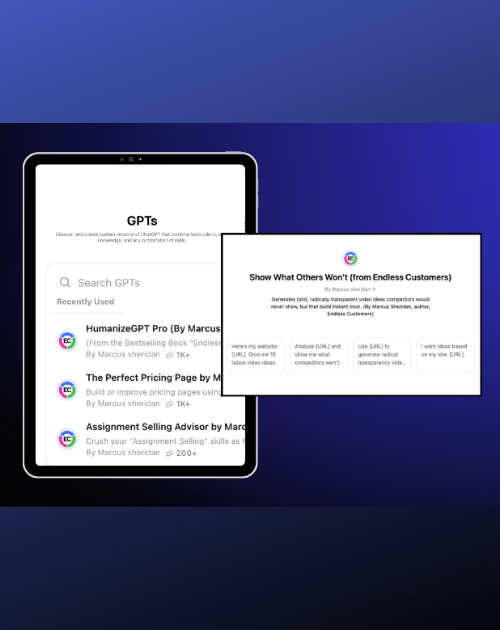
FREE RESOURCE
Endless Customers GPTs
We’ve built a collection of custom GPTs designed to help you sell smarter, write faster, and build a brand buyers actually trust. Each one is tailored to the Endless Customers philosophy so you can know you're getting all the best practices.
3. Google Gemini
Google Gemini is Google's all-purpose AI assistant, and it brings a wide suite of content capabilities under one roof. It's a solid general-purpose LLM for drafting, brainstorming, and simplifying complex topics, and it's especially strong for image generation with Nano Banana.
Beyond that, Deep Research pulls together sources on a topic, Canvas gives you a dedicated space to draft and refine content, and Gems let you build reusable custom assistants for repeatable tasks.
Use cases:
-
Drafting, brainstorming, and simplifying complex topics
-
Image generation with Nano Banana
-
Deep Research for pulling together sources on a topic
-
Canvas for drafting and editing content
-
Reusable custom assistants for repeatable tasks (Gems)
Video Creation, Editing, & Repurposing
4. Descript
Descript is really a video editor at heart, but one of its best use cases is turning long-form recordings into short clips. Because of its editing capabilities, it’s easier to change and adjust the outputs when you compare it to other short-form clip AI tools.
It also has handy AI touches like eye correction that adjusts your gaze so it looks like you're looking right at the camera. Mostly, it helps you repurpose a lot of what you've already recorded.
Use cases:
-
Video editing
-
Turning long-form recordings into short clips
-
Eye-contact correction
-
Audio cleanup
5. Captions.ai
Captions.ai is one of the best AI video editing tools we've come across. It's still not perfect, but it adds enough visual movement to keep short- or long-form video feeling like it flows and holds attention, all done with AI. If you don't have a videographer or editor, this is one of the best options we've found.
Use cases:
- AI video editing
- Adding visual variety to hold engagement
- Short- and long-form video
- A stand-in when you don't have a video editor
6. HeyGen
HeyGen is excellent for AI avatars, but one of the really great uses for this tool is using it for translation. The translation keeps the sound of your own voice speaking the new language, not just captions. It even lip-syncs, so it looks like you're genuinely speaking in each of the 175+ languages available.
Use cases:
-
AI avatars
-
Video translation in your own voice
-
Lip-synced multi-language video
-
Scalable video without reshooting
7. Vidyard
Vidyard also offers digital twins/avatars, but its standout is automated, personalized sales engagement. Its video agent reaches out to prospects based on your workflows, using your video avatar and dropping in personalized details like each prospect's name.
Use cases:
-
Video digital twins
-
Automated personalized sales outreach
-
Video agent driven by your workflows
-
Personalization (name and custom fields)
If you're interested in learning how to use Vidyard's AI avatars, check out our free, recorded webinar, "5 Ways to Start Using AI Avatars in Your Sales & Marketing Today."
8. Riverside
Riverside is an AI-powered podcast platform that also helps you edit and repurpose what you record. It can even generate images and ready-to-post social text based on what you discussed in the recording, which is handy if you're a really small team.
Use cases:
-
Podcast recording
-
Editing and repurposing recordings
-
Auto-generated social posts and images from your recording
-
Lean, small-team content ops
Research & Source Analysis
9. Gemini Notebook
Formerly NotebookLM, Gemini Notebook sits under Google's Gemini umbrella, but it's worth calling out on its own because it can fly under the radar. It's very good for research when you want the AI to pull only from the sources you give it, and every claim is cited back to the exact spot in your source.
Click a citation, and it jumps you to the passage and highlights the sentence it drew from, so you can verify it's using the source correctly.
Great for pulling a lot of material together and creating content that goes beyond the obvious.
Use cases:
-
Source-grounded research (only pulls from what you provide)
-
Verifiable citations back to your exact sources
-
Synthesizing large amounts of material
-
Using complex data to go beyond surface-level content
-
Creating images and infographics based on your data
Voice & Dictation
10. Wispr Flow
Wispr Flow is a voice-to-text tool you download on Mac, Windows, iPhone, or Android, then use to dictate into virtually any app, on any device, in any language. It works well even when you're whispering so you don't bother people around you (hence the name). It's a real time-saver for drafting things like blog articles instead of typing it all out.
Use cases:
-
Voice-to-text dictation in any app
-
Works across Mac, Windows, iPhone, and Android
-
Multi-language support
-
Faster first drafts of blog articles and emails
11. ElevenLabs
ElevenLabs is an excellent platform that can do a ton of things using AI, and the use we've found most helpful is voice cloning. It's a lifesaver in video creation when you don't want to set up a reshoot or audio session just to get something you missed.
Just use the voice clone to create a quick fix line here or there and lay B-roll over it. There's also a lot more inside the platform that can help in areas like customer support and lead qualification.
Use cases:
-
Voice cloning your key team members
-
Patching or adding voice lines to video content without reshooting
-
Realistic voice generation for audio content
-
Voice agents for customer support
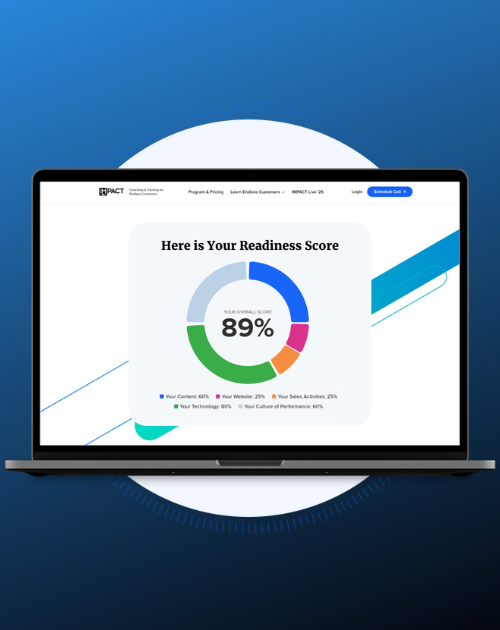
Free Assessment
Free Marketing Assessment: Where do you stand?
AI is changing how buyers find businesses, and most companies are dangerously underprepared. Take this free assessment and find out if yours is at risk of becoming invisible to your buyers.
Design & Visuals
12. Canva
Canva isn't purely an AI tool, but it's packed with AI capabilities. Canva AI and Magic Studio are huge for teams without a graphic designer, letting you create your own visuals like social posts, YouTube thumbnails and banners, profile images, and whatever else you need. You can even start by describing your idea and let Canva AI build a first version for you to adjust.
Use cases:
-
DIY design without a graphic designer
-
YouTube thumbnails and banners
-
Social posts, banners, and profile images
-
Describe-to-design with Canva AI / Magic Studio
Insights, Ops, & Automation
13. AskElephant
AskElephant is an AI call recorder that records, transcribes, and analyzes your meetings, then turns what was said into CRM updates, summaries, alerts, and follow-up actions.
Beyond meeting notes, you can ask it questions directly and pull insights across many calls or a single one, which is a great way to gather the data, information, and stories you can build content around.
It also has strong integrations and automations for sales teams.
Use cases:
-
Call recording, transcription, and analysis
-
CRM updates, summaries, alerts, and follow-ups
-
Querying insights across one call or many
-
Sourcing data and stories for content
-
Sales integrations and automations
14. HubSpot AI — Breeze
HubSpot's built-in AI is now called Breeze, and if you're already in HubSpot, it's really useful. Yes, it can write, but where it really earns its keep is summarizing meetings and pulling insights from them, helping build reports, and surfacing the data you need to make your content stronger, among other things. Just ask, and it will answer.
Use cases:
-
Meeting summaries and insights
-
Report building assistance
-
Finding data to strengthen your content
-
In-app writing assistance
15. n8n
n8n builds workflows and agents that stitch together a bunch of different integrations and AI tools to automate even very complex processes. It's on the more advanced side, but it's powerful for pulling content out of the work you're already doing, cutting the time it takes to surface insights from client emails, conversations, and your day-to-day work.
Use cases:
-
Automating complex, multi-step workflows
-
Connecting multiple integrations and AI tools
-
Building AI agents
-
Surfacing content and insights from client emails and conversations
Build & Prototype
16. Lovable
Lovable lets you build apps and websites just by chatting with AI (called “vibe coding”). It's especially handy for prototyping and proof-of-concept work.
Use cases:
-
Building apps and websites by chatting with AI
-
Vibe-coded tools and sites
-
Prototyping
-
Proof-of-concept work
FAQs: AI Tools for Content Creation
What is the best AI tool for blog article writing?
Claude and ChatGPT are top choices for blog writing, offering well-structured outlines and first drafts, with Claude especially strong for long-form content.
How do I find pricing for AI tools?
Most tools list pricing right in their website navigation, usually under a "Pricing" or "Plans" tab. When it's not there (which is frustrating) community forums like Reddit are a good backup, since other users have often shared the numbers or what they actually pay.
How do I keep AI-generated content on-brand?
Train the tools on your own voice instead of using them out of the box. Custom GPTs can learn your tone, examples, and FAQs; Claude holds brand context well across long documents; and Canva keeps visuals aligned with your brand kit. Pair that with a quick human review so nothing publishes that doesn't sound like you.
Check out our resource “How to Create Human Content While Using AI” to learn how to scale output while keeping your content sounding like your brand.
Can AI Tools Replace an Employee?
AI tools speed teams up; they don't replace them. AI can draft, repurpose, and edit faster than ever, but strategy, judgment, and a final human check are what keep content accurate, on-brand, and worth reading. While you may be able to add more tasks to your current team using AI tools, the best results come from improving your strategy without removing employees.
A Smart Stack Only Works with A Smart Strategy
You can have the best AI tools in the world, but without structure, process, buy-in and human oversight, you're just publishing faster, not better.
Want your content strategy to work smarter, not just faster?
At IMPACT, we coach businesses just like yours in the Endless Customers Coaching & Training Program. It’s a proven approach that puts content at the heart of your sales and marketing. We'll help you build a respected presence that educates buyers, builds trust, and drives real revenue.
We'll help you build a respected presence that educates buyers, builds trust, and drives real revenue.
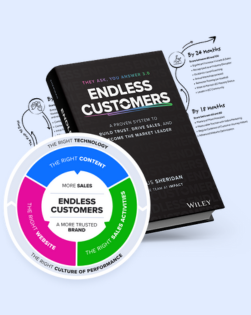
Learn How to Make It Happen
The Endless Customers Coaching Program
If your marketing isn’t delivering and you’re ready for a proven, future-ready system built for the age of AI (one your team can run in-house) check out our coaching program.

Written By
Austin is passionate about helping businesses grow the right way. As a coach at IMPACT, he teaches companies how to implement the Endless Customers System, using content to create transparency, build trust, and empower buyers to make confident decisions.
Austin is passionate about helping businesses grow the right way. As a coach at IMPACT, he teaches companies how to implement the Endless Customers System, using content to create transparency, build trust, and empower buyers to make confident decisions.
/Assets/Icon%20Library/social/linkedin-logo.svg)
Share
/Assets/Icon%20Library/social/x%20corp.svg)
/Assets/Icon%20Library/social/mail-to.svg)
/Assets/base/Learning%20Center%20Resource%20Category%20Icons/Website%20link.svg)
NEED HELP WITH AI FOR MARKETING?
If you’re looking to take control of your sales and marketing with a proven system built for the age of AI, IMPACT can help. We can guide you on how to control your growth, stop relying on agencies, and become the most known and trusted brand in your market.
NEED HELP WITH AI FOR MARKETING?
If you’re looking to take control of your sales and marketing with a proven system built for the age of AI, IMPACT can help. We can guide you on how to control your growth, stop relying on agencies, and become the most known and trusted brand in your market.